QuickBooks Desktop Premier 2018 UK/SA Edition
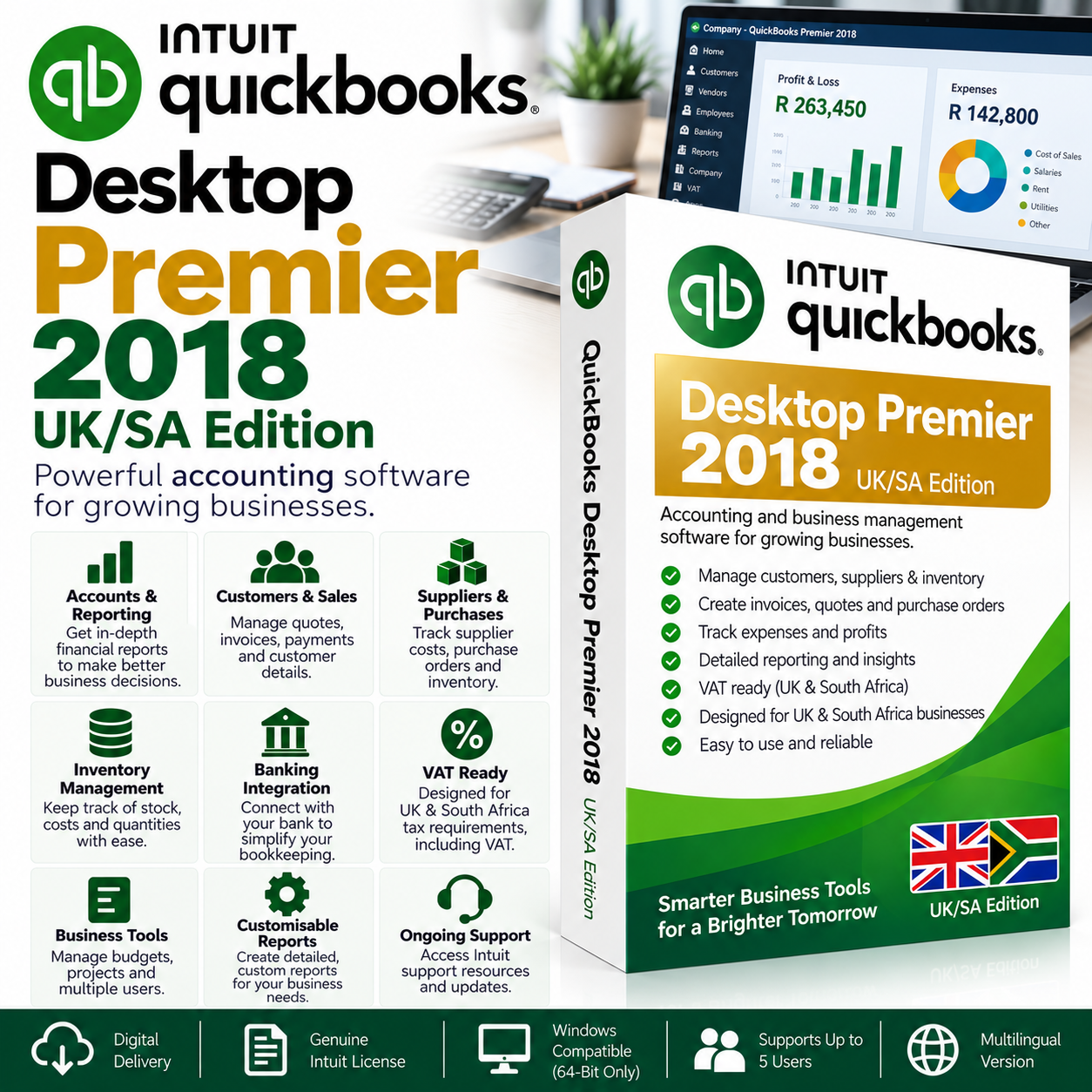
QuickBooks Desktop Premier 2018 UK/SA Edition is a comprehensive desktop accounting and business management solution designed for businesses that need reliable tools for invoicing, customers, suppliers, inventory, banking, VAT, expenses, and financial reporting.
Designed for UK and South African accounting environments, QuickBooks Premier provides a familiar desktop-based accounting platform without requiring an ongoing monthly software subscription.
Key Features
- Customer & Sales Management – Manage customers, quotations, invoices, payments, and outstanding balances.
- Supplier & Purchase Management – Record suppliers, purchase orders, bills, expenses, and payments.
- Inventory Management – Monitor stock quantities, costs, purchases, sales, and inventory activity.
- Professional Invoicing – Create and customise invoices, quotations, sales documents, and payment receipts.
- Banking & Cash Flow – Record banking transactions, deposits, payments, expenses, and transfers.
- VAT Management – Maintain VAT-related accounting information for supported UK and South African workflows.
- Financial Reporting – Generate Profit & Loss, Balance Sheet, cash-flow, customer, supplier, sales, expense, and inventory reports.
- Customisable Reports – Adjust reports to provide the information most relevant to your business.
- Budgeting Tools – Create and monitor budgets to assist with financial planning.
- Accounting Tools – Access tools designed to help review transactions and identify potential accounting errors.
- Multi-Currency Support – Manage supported transactions involving multiple currencies.
- Desktop-Based Software – Your QuickBooks company file is maintained within your own Windows environment.
Multi-User Support – Up to 5 Users
QuickBooks Desktop Premier 2018 supports up to 5 users in Multi-User Mode, provided the computers and company file are correctly configured within a compatible business network.
Multi-user operation is not automatically configured by installing QuickBooks on multiple computers.
A multi-user environment may require configuration of:
- QuickBooks Database Server Manager
- Company file hosting
- Windows file and folder permissions
- Network discovery and file sharing
- Windows Firewall
- Server or host computer
- Individual workstations
- Local network connectivity
If you intend to use QuickBooks across multiple computers, your IT technician or network administrator must configure and maintain the required network environment.
Technical Support
Digisoft ZA provides assistance with installation of the QuickBooks software.
Our technical team can assist with:
- QuickBooks installation
- Installation-related errors
- Initial software launch issues
- Reinstallation where required
- Software-related installation problems
Our technical support does not include configuring or troubleshooting the customer’s business network, including:
- Multi-User Mode configuration
- Windows networking
- File and folder sharing
- Network permissions
- Firewall configuration
- Server configuration
- Workstation configuration
- Company file hosting
- Existing network connectivity issues
These services must be handled by your own IT technician or network administrator.
License Information
Product: QuickBooks Desktop Premier 2018
Edition: UK/SA Edition
License: One-Time Purchase
Subscription: No Monthly Subscription Required
Multi-User: Supports up to 5 users when correctly configured
Platform: Windows 64-bit
Delivery: Digital
System Requirements
Operating System
- 64-bit Windows PC
- Because QuickBooks Desktop 2018 is an older release, compatibility with your particular Windows version and configuration should be confirmed before purchasing.
Processor
- Intel Core i3 or equivalent/newer recommended
Memory
- 4 GB RAM minimum
- 8 GB RAM or more recommended
Storage
- At least 2.5 GB of available storage for the application
- Additional space required for company files, attachments, backups, and other business data
- SSD recommended for improved performance
Display
- 1280 × 1024 or higher recommended
Network
- A correctly configured Windows network is required when using Multi-User Mode
- Wired network connectivity is recommended for reliable multi-user environments
Important Compatibility Notice
QuickBooks Desktop 2018 is an older desktop release. Customers should ensure that their Windows environment and any required third-party software or integrations are compatible with QuickBooks Desktop 2018 before purchasing.
Some online, banking, payroll, connected, update, or Intuit-operated services originally associated with QuickBooks 2018 may no longer be available or supported. These services should not be assumed to be included with this product.
The product is primarily intended for customers requiring the core QuickBooks desktop accounting functionality.
Important Multi-User Notice
If you are purchasing QuickBooks specifically for use across multiple computers, please ensure that you have a qualified IT technician or network administrator available to configure your network.
Digisoft ZA provides software installation assistance, but is not responsible for configuring or troubleshooting the customer’s network, server, workstations, firewall, or Multi-User Mode environment.
Digital Delivery
This is a digital software product. No physical box, DVD, or USB media will be shipped.
QuickBooks Desktop Premier 2018 UK/SA Edition – desktop accounting, invoicing, inventory, VAT, reporting, and multi-user functionality for UK and South African businesses.





Verified owner David Z. (verified owner) –
Exactly what I needed. Setup was quick and uncomplicated.
Verified owner Kevin X. (verified owner) –
QuickBooks Desktop Premier 2018 UK/SA Edition does exactly what I needed it to do. Good experience overall.
Verified owner Tanya C. (verified owner) –
QuickBooks Desktop Premier 2018 UK/SA Edition does exactly what I needed it to do. Good experience overall.
Verified owner Leanne (verified owner) –
QuickBooks is running properly and the setup process was easy enough to follow.
Verified owner Ethan (verified owner) –
No complaints. Everything worked the way it should.
Verified owner Melissa (verified owner) –
Easy to follow and worked first time for me.
Verified owner Sarah A. (verified owner) –
Everything went smoothly and the product works well.
Verified owner Dylan U. (verified owner) –
Installed successfully and I was able to open my company file without issues.
Verified owner Megan T. (verified owner) –
Product is fine and doing what I need. The setup process could be a little simpler.
Verified owner Megan K. (verified owner) –
Very happy with the purchase. Everything worked as expected.
Verified owner Ruan F. (verified owner) –
Worked well overall. Setup took a little time but everything is running properly now.
Verified owner Lauren (verified owner) –
Simple process and clear instructions. Very satisfied.
Verified owner Kevin K. (verified owner) –
Quick and straightforward process. No issues at all.