Autodesk Vault Professional 2027 – 1 Year Subscription
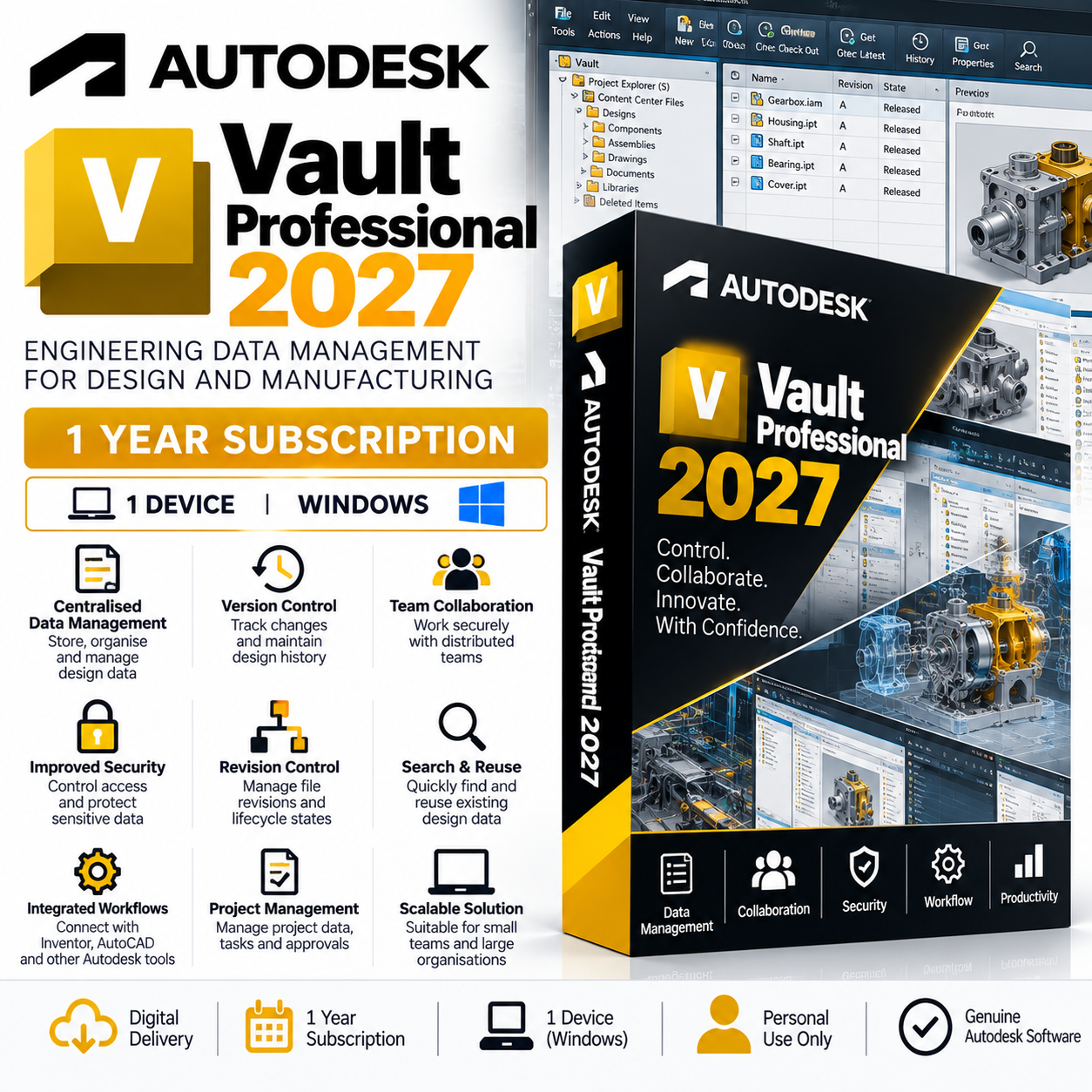
Autodesk Vault Professional 2027 is an advanced product data management (PDM) and engineering data management solution designed to help organisations securely manage, organise, track, and control CAD files, engineering documents, revisions, and product information.
Vault Professional integrates with Autodesk design applications such as Inventor and AutoCAD, providing a centralised environment where engineering teams can manage design data, maintain revision history, collaborate on projects, and control access to important files.
Key Features
- Centralised Data Management – Store and organise engineering files and product information in a controlled central repository.
- Version Control – Automatically maintain previous versions of files and track changes throughout the design process.
- Revision Management – Manage formal engineering revisions and lifecycle states for drawings, models, and related documentation.
- Check-In & Check-Out – Control who is working on files and reduce the risk of multiple users accidentally overwriting design changes.
- Engineering Change Management – Manage changes to designs and documentation through controlled workflows.
- Powerful Search – Quickly locate CAD files, drawings, assemblies, components, and associated engineering information.
- Design Reuse – Find and reuse existing components and designs instead of recreating commonly used engineering data.
- File Relationships – Maintain relationships between assemblies, parts, drawings, and supporting documentation.
- Team Collaboration – Provide engineering teams with controlled access to shared project and product data.
- User & Access Control – Manage permissions to help protect sensitive engineering information.
- Lifecycle Management – Control files as they progress through stages such as Work in Progress, Review, Released, and Obsolete.
- Project Management – Organise project files, engineering tasks, approvals, and associated documentation.
- Autodesk Integration – Integrates with supported Autodesk applications to provide connected CAD and data-management workflows.
- Scalable PDM Solution – Suitable for managing growing volumes of engineering and manufacturing data.
Inventor & AutoCAD Integration
Vault Professional integrates with supported Autodesk design applications, allowing designers and engineers to access Vault functionality directly within their normal CAD workflows.
This can help teams manage:
- Inventor parts and assemblies
- AutoCAD drawings
- Engineering drawings
- CAD references
- Project documentation
- Design revisions
- Bills of materials
- Supporting documents
- Released production information
Version & Revision Control
Vault Professional helps maintain a complete history of engineering files.
Instead of manually creating multiple copies of drawings or models, Vault can maintain previous versions while controlling the current working version.
Formal revision management can also be used to identify approved changes and released designs.
Engineering Change Management
Controlled engineering workflows help organisations manage changes to products and designs.
Files can progress through defined lifecycle stages, allowing teams to distinguish between designs that are:
- In development
- Under review
- Approved
- Released
- Superseded
- Obsolete
This provides greater control over which engineering information should be used for production or further development.
Search & Design Reuse
Vault Professional makes it easier to locate existing engineering information.
Users can search for files, properties, components, drawings, and other stored information, helping reduce duplicate work and encouraging the reuse of previously designed components.
Security & Access Control
Administrators can configure user permissions and access levels to control who can view, modify, approve, or manage engineering data.
This provides greater protection for sensitive design and product information while still allowing authorised team members to collaborate.
Ideal For
Autodesk Vault Professional is suitable for:
- Engineering data management
- Product data management (PDM)
- Mechanical engineering teams
- Manufacturing environments
- CAD departments
- Inventor workflows
- AutoCAD workflows
- Engineering revision control
- Product development
- Design collaboration
- Document control
- Engineering change management
- Design reuse
Important – Vault Server & Client Environment
Unlike a standard standalone Autodesk design application, Vault Professional is designed around a client/server environment.
A properly configured Autodesk Vault Server environment may be required for deployment and operation. Network infrastructure, server configuration, SQL/database components, user permissions, backups, and client connectivity should be planned before installation.
Customers are responsible for ensuring that their IT environment is suitable for the intended Vault deployment.
Subscription Information
Product: Autodesk Vault Professional 2027
Subscription: 1 Year
Platform: Windows
Delivery: Digital
License Use: Personal Use Only
The licence is valid for 12 months from activation. Once the subscription period expires, continued use will require a new licence or subscription.
Autodesk Account
The licence is linked to the Autodesk account associated with the personal email address supplied with your order.
Once provisioning has been completed, the available software can be accessed through your Autodesk account.
System Requirements
Vault Professional consists of server and client components, so requirements depend heavily on the intended deployment, number of users, database size, Autodesk applications being integrated, and server infrastructure.
Typical considerations include:
Vault Client
- Compatible 64-bit Windows operating system
- Modern Intel or AMD processor
- 8 GB RAM minimum
- 16 GB RAM or more recommended
- SSD recommended
- Reliable network connection to the Vault Server
Vault Server
- Compatible Windows Server environment
- Suitable multi-core server processor
- Sufficient RAM for the number of users and database workload
- Fast SSD-based storage recommended
- Reliable network infrastructure
- Appropriate Microsoft SQL Server configuration where required
- Suitable backup and disaster-recovery strategy
For larger multi-user deployments, significantly more powerful server hardware may be required.
Customers should verify the official Autodesk Vault 2027 system requirements and deployment requirements for their intended environment before purchasing or installing the software.
Software License Disclaimer
The software licenses supplied are intended for personal use only. These licenses provide access to the full software feature set; however, any use in a commercial, business, corporate, government, or production environment is undertaken entirely at the user’s own risk.
By purchasing or using these licenses, you acknowledge and agree that:
- The licenses are provided for personal use only.
- Commercial use may violate the software publisher’s licensing terms and conditions.
- We make no guarantees regarding the suitability, validity, or compliance of these licenses for commercial use.
- Any commercial or business use is solely the responsibility of the end user.
- We accept no liability for any licensing issues, audits, penalties, account restrictions, or other consequences arising from commercial use.
Email Requirement
To ensure successful activation and delivery, licenses can only be registered to and activated using a personal email address (such as Gmail, Outlook.com, Yahoo, etc.). We cannot process orders using business, corporate, school, university, or organization-managed email addresses.
Digital Delivery
This is a digital product. No physical box, DVD, or USB media will be shipped.
Please ensure that the personal email address supplied during checkout is correct, as it will be required for licence provisioning.
Autodesk Vault Professional 2027 – advanced product and engineering data management, revision control, collaboration and PDM tools with a 1-year licence.







Reviews
Clear filtersThere are no reviews yet.